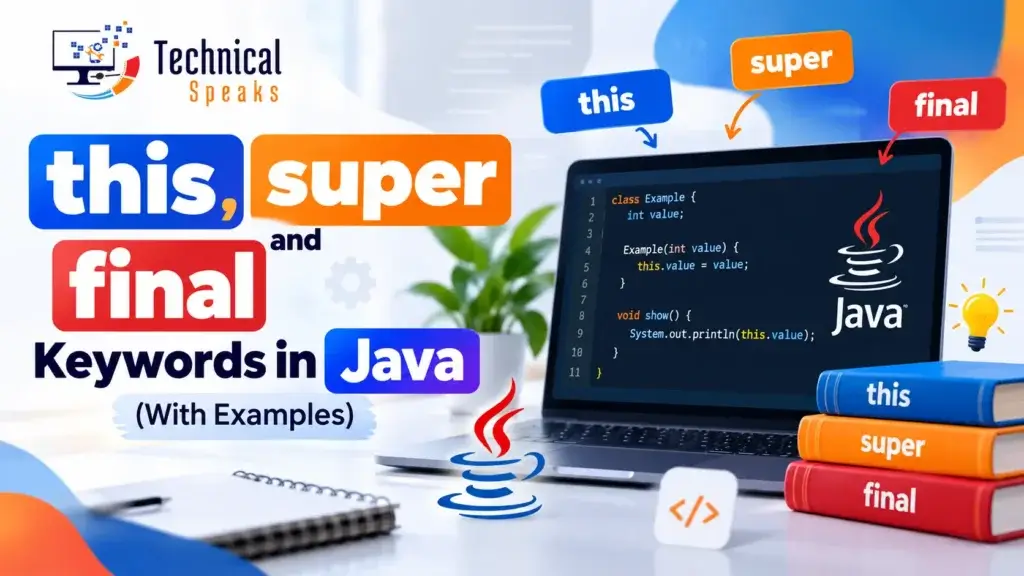
In Java, this refers to the current object, super refers to the parent class, and final stops something from changing. A final variable can’t be reassigned, a final method can’t be overridden, and a final class can’t be extended. All three are reserved keywords, so you can’t use them as variable or method names.
This guide explains each keyword with short programs you can run, the output you’ll see, the rules to remember and the mistakes beginners make most often.
Quick comparison: this vs super vs final
| Keyword | What it refers to or does | Common uses |
|---|---|---|
this | The current object | Separating fields from parameters, calling another constructor with this(), returning the current object |
super | The parent class | Accessing parent fields and methods, calling the parent constructor with super() |
final | Prevents change | Constants, methods that can’t be overridden, classes that can’t be extended |
this and super only work with objects, so you can’t use them inside a static method. final can be used almost anywhere.
The this keyword in Java
this is a reference to the object whose method or constructor is running.
1. Refer to the current object’s fields
When a parameter has the same name as a field, this tells Java you mean the field.
public class Student {
    String name;
    int age;

    Student(String name, int age) {
        this.name = name;   // field = parameter
        this.age = age;
    }

    void show() {
        System.out.println(name + " is " + age);
    }

    public static void main(String[] args) {
        new Student("Riya", 21).show();
    }
}
Output:
Riya is 21
Without this, the line name = name; would just assign the parameter to itself, and the field would stay null.
2. Call another constructor with this()
this() lets one constructor reuse another, so you don’t repeat code. Learn more about constructors in Java.
public class Box {
    int width, height;

    Box() {
        this(10, 10);   // calls the two-argument constructor
    }

    Box(int width, int height) {
        this.width = width;
        this.height = height;
    }

    public static void main(String[] args) {
        Box b = new Box();
        System.out.println(b.width + " x " + b.height);
    }
}
Output:
10 x 10
3. Call a method of the current class
You can write this.methodName(), but Java adds this for you if you leave it out, so display() and this.display() do the same thing.
4. Pass the current object as an argument
public class Order {
    int id = 101;

    void print(Order o) {
        System.out.println("Order id: " + o.id);
    }

    void process() {
        print(this);   // pass the current object
    }

    public static void main(String[] args) {
        new Order().process();
    }
}
Output:
Order id: 101
The same works with constructors, for example new Invoice(this), when another object needs a reference to this one.
5. Return the current object (method chaining)
Returning this lets you chain calls one after another.
public class Pizza {
    StringBuilder toppings = new StringBuilder();

    Pizza add(String topping) {
        toppings.append(topping).append(" ");
        return this;
    }

    public static void main(String[] args) {
        Pizza p = new Pizza().add("cheese").add("olives").add("corn");
        System.out.println(p.toppings);
    }
}
Output:
cheese olives corn
The super keyword in Java
super lets a child class reach members of its parent class. It’s used with inheritance in Java.
1. Access a parent class field
class Animal {
    String color = "white";
}

class Dog extends Animal {
    String color = "black";

    void printColor() {
        System.out.println(color);        // Dog's field
        System.out.println(super.color);  // Animal's field
    }
}

public class TestSuper1 {
    public static void main(String[] args) {
        new Dog().printColor();
    }
}
Output:
black
white
2. Call a parent class method
When a child overrides a method, super.method() still runs the parent’s version. This is common with polymorphism in Java.
class Animal {
    void eat() {
        System.out.println("eating...");
    }
}

class Dog extends Animal {
    @Override
    void eat() {
        System.out.println("eating bread...");
    }

    void work() {
        super.eat();   // Animal's eat()
        eat();         // Dog's eat()
    }
}

public class TestSuper2 {
    public static void main(String[] args) {
        new Dog().work();
    }
}
Output:
eating...
eating bread...
3. Call the parent constructor with super()
class Animal {
    Animal() {
        System.out.println("Animal is created");
    }
}

class Dog extends Animal {
    Dog() {
        super();   // optional here, Java adds it automatically
        System.out.println("Dog is created");
    }
}

public class TestSuper3 {
    public static void main(String[] args) {
        new Dog();
    }
}
Output:
Animal is created
Dog is created
If you don’t write super() or this(), the compiler adds super() automatically. If the parent has no no-argument constructor, you must call one of its constructors yourself, for example super(name).
Java 25 update: code before super() and this()
For years the rule was that super() or this() must be the very first line of a constructor. Java 25 relaxed this with flexible constructor bodies (JEP 513). You can now validate or prepare arguments before calling the parent constructor, as long as you don’t use the object being built.
class Employee extends Person {
    Employee(String name, int age) {
        if (age < 18) {
            throw new IllegalArgumentException("Too young");
        }
        super(name);   // allowed in Java 25+
    }
}
On Java 21 or older, keep super() or this() as the first statement.
The final keyword in Java
final means something can’t be changed after it’s set. It works on variables, methods and classes.
1. Final variable
A final variable can be assigned only once. Trying to change it is a compile-time error.
public class FinalDemo {
    final int speed = 80;

    void run() {
        // speed = 100;   // Compile error: cannot assign a value to final variable speed
        System.out.println("Speed: " + speed);
    }

    public static void main(String[] args) {
        new FinalDemo().run();
    }
}
Output:
Speed: 80
Constants are usually static final and written in capitals:
static final double PI = 3.14159;Blank final variables. A final field without a value must be assigned in every constructor. A static final field without a value must be assigned in a static block.
Final references. A final reference can’t point to a different object, but the object itself can still change:
final List<String> names = new ArrayList<>();
names.add("Aman");          // allowed, the list changes
// names = new ArrayList<>();  // compile error, the reference can't change
2. Final method
A final method can’t be overridden by a child class.
class Bike {
    final void run() {
        System.out.println("Running safely");
    }
}

class Bullet extends Bike {
    // void run() { }   // Compile error: run() in Bullet cannot override run() in Bike
}
3. Final class
A final class can’t be extended. String and the wrapper classes like Integer are final, for example.
final class Payment {
}

// class UpiPayment extends Payment { }   // Compile error: cannot inherit from final Payment
Want something in between? Since Java 17, a sealed class lets you choose exactly which classes may extend it, instead of blocking all of them.
Final and lambdas
Variables used inside a lambda must be final or effectively final, which means they’re never reassigned after being set.
int bonus = 500;   // effectively final
Runnable r = () -> System.out.println(bonus);
// bonus = 600;    // would make the lambda line fail to compile
final vs finally vs finalize()
These look alike but aren’t related.
| What it is | Use | |
|---|---|---|
final | Keyword | Prevents change to variables, methods and classes |
finally | Block after try/catch | Code that always runs, such as closing resources |
finalize() | Old method of Object | Deprecated for removal (JEP 421). Use try-with-resources instead. |
Common errors and how to fix them
- “non-static variable this cannot be referenced from a static context.” You used
thisorsuperinsidemainor another static method. Create an object first and call the method on it. - “call to super must be first statement in constructor.” You’re on Java 21 or older. Move
super()orthis()to the first line. - “cannot assign a value to final variable.” You’re reassigning a final variable. Remove
finalor don’t reassign it. - “constructor X in class X cannot be applied to given types.” The parent has no no-argument constructor. Call the right one with
super(...). - Code copied from a website won’t compile. Look for curly quotes (“ ”) and replace them with straight quotes (“).
Watch the video
FAQ
What is the this keyword in Java?
this is a reference to the current object. It’s used to separate fields from parameters with the same name, call another constructor with this(), pass the current object, or return it for method chaining.
What is the super keyword in Java?
super refers to the parent class. It’s used to access a parent field or method that the child has hidden or overridden, and to call the parent constructor with super().
What is the final keyword in Java?
final prevents change. A final variable can be assigned once, a final method can’t be overridden, and a final class can’t be extended.
Can we use this and super in a static method?
No. Both refer to an object, and static methods belong to the class, not to an object.
Can we use this() and super() in the same constructor?
No. A constructor can call either this() or super(), but not both.
What is the difference between final, finally and finalize?
final is a keyword that prevents change. finally is a block that always runs after try/catch. finalize() is an old cleanup method that’s now deprecated for removal.
Final thoughts
Remember it like this: this means the current object, super means the parent class, and final means it can’t change. Practise each example above, change the values, and try breaking the rules on purpose to see the compiler errors. That’s the fastest way to make these keywords stick.
Next, read up on encapsulation, abstraction, interfaces in Java and variables in Java. If you’re just starting out, begin with the Java Hello World program.
Need help with a Java or web project? Get in touch with our team today.
Saurabh K. is a developer who writes practical, beginner-friendly coding tutorials. Code examples target Java 21, with the Java 25 update noted where it applies.