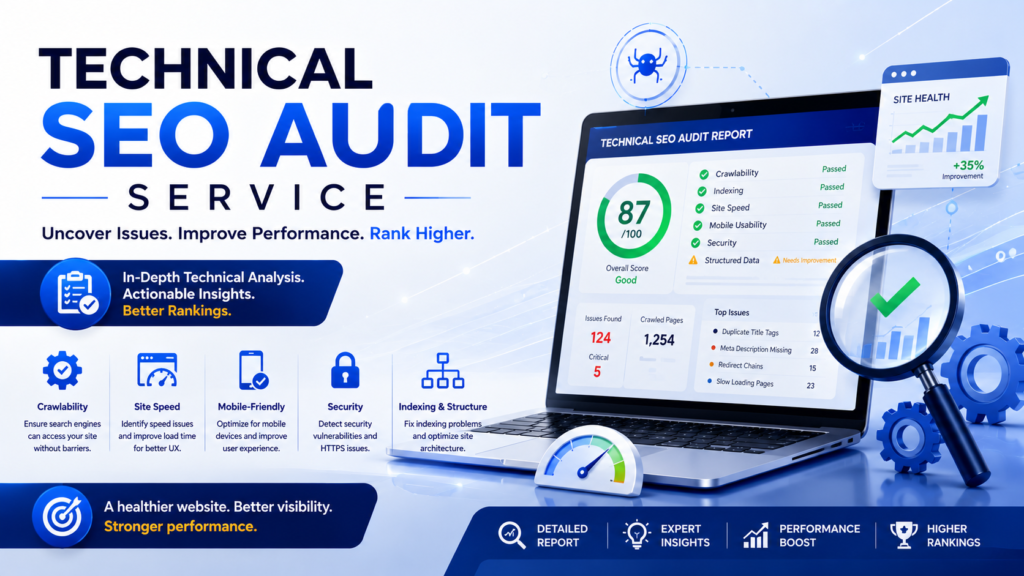
A technical SEO audit service helps improve Core Web Vitals by finding out why your pages are slow, unresponsive or jumpy, and then ranking the fixes by impact. Instead of guessing, you get a clear list: which page templates fail, which files, scripts or images cause it, and what to fix first.
Core Web Vitals are part of how Google measures page experience. They’re not a magic ranking switch, since relevance and helpful content still matter most, but they can be a tie-breaker. They also directly affect how many visitors stay, read and buy.
Here’s how a technical audit tackles Core Web Vitals, what it should include, and what results to expect.
Core Web Vitals in 30 seconds
| Metric | What it measures | Good score |
|---|---|---|
| LCP (Largest Contentful Paint) | How fast the main content loads | 2.5 seconds or less |
| INP (Interaction to Next Paint) | How quickly the page responds to clicks, taps and typing | 200 milliseconds or less |
| CLS (Cumulative Layout Shift) | How much the layout jumps around during the visit | 0.1 or less |
INP replaced FID (First Input Delay) as a Core Web Vital in 2024. For a deeper explanation, read fundamentals of Core Web Vitals.
Field data vs lab data (the most common confusion)
This is where many site owners go wrong:
- Field data comes from real Chrome users visiting your site (the Chrome UX Report). Google uses this for Core Web Vitals, based on the experience of most visitors (the 75th percentile). You’ll see it in Google Search Console’s Core Web Vitals report and at the top of PageSpeed Insights.
- Lab data is a simulated test, like the Lighthouse score in PageSpeed Insights. It’s great for diagnosing problems, but it’s not what Google uses to assess your Core Web Vitals.
A good audit uses field data to find what’s failing for real users, then lab tools to find why.
How a technical SEO audit improves Core Web Vitals
1. Find which pages are failing
The audit starts with Search Console’s Core Web Vitals report, which groups similar URLs and shows which ones are Poor, Need Improvement or Good, on mobile and desktop.
2. Group pages by template
Most problems come from templates, not individual pages. Your blog posts, product pages and category pages usually share the same code. Fix the template once, and hundreds of pages improve.
3. Diagnose the root causes
Using PageSpeed Insights, Lighthouse and Chrome DevTools, the audit pinpoints exactly what’s slowing each template:
- Which element is the LCP (often a hero image or heading) and what delays it
- Which scripts block the main thread and hurt INP
- Which elements shift and cause CLS
4. Prioritize fixes by impact and effort
You might find dozens of issues. A good audit ranks them, so your developer works on the changes that help the most pages first, like a slow server or an oversized hero image on every product page.
5. Fix, validate and monitor
After fixes go live, the audit checks lab results right away. Field data in Search Console updates more slowly because it’s based on a rolling 28-day window, so expect a few weeks before the report fully reflects the improvements. You can then use Search Console’s Validate Fix option.
Common issues an audit finds (and how they’re fixed)
Slow LCP
- Slow server response (TTFB): better hosting, page caching, a CDN
- Large hero images: compress them, serve WebP or AVIF, use the right size for each screen. See our image SEO guide
- Lazy-loading the hero image: lazy-load images below the fold, but never the main image at the top
- Render-blocking CSS and JavaScript: inline critical CSS, defer non-essential scripts
- Slow web fonts: preload key fonts and limit how many font files you use
Poor INP
- Heavy JavaScript: remove unused scripts, split large bundles, and delay non-essential code
- Too many third-party scripts: chat widgets, trackers, ad scripts and social embeds often keep the browser busy
- Plugin bloat in WordPress: deactivate plugins you don’t need, and replace heavy ones with lighter options
- Large, complex pages: very long pages with thousands of elements take longer to update after each click
High CLS
- Images and videos without width and height set in the code
- Ads, embeds and banners that load late and push content down. Reserve space for them
- Web fonts that swap and change text size
- Content injected above existing content, like cookie bars or promo banners
On WordPress sites, many of these fixes come down to hosting, caching, image handling, your theme and plugins. See our guides to WordPress speed optimization and how to speed up WordPress in 2026.
What else a technical SEO audit covers
Core Web Vitals are one part of a full technical audit. A good audit also checks:
- Crawling: can Google reach your important pages? Watch for robots.txt mistakes
- Indexing: are the right pages indexed, and are the wrong ones kept out?
- XML sitemaps: do they list only live, final URLs? See how to create an XML sitemap
- Redirects: no chains, loops or broken redirects. More on 301 redirects in WordPress
- Canonical tags: pointing to the right versions. See our SEO canonical tag guide
- Mobile experience: Google mainly uses the mobile version of your site. See mobile-first indexing factors
- Structured data, internal links and HTTPS
- International setup, for sites in several countries. See our international SEO audit
For a broader list, read common technical SEO mistakes and how to fix them.
What you should get from a technical SEO audit service
- A summary in plain language: what’s wrong and why it matters
- Core Web Vitals status by template and device, using field data
- A prioritized fix list with impact, effort and who should do it (developer, content team or host)
- Specific recommendations, not just tool screenshots
- Before-and-after measurement and a follow-up check after fixes
Ask for these before you hire anyone. More on what to look for in our guide to organic SEO services.
Can you do it yourself?
For small sites, often yes. Start with:
- Search Console’s Core Web Vitals report to find failing URL groups
- PageSpeed Insights on one page from each template
- Fix the obvious issues: image sizes, caching, unused plugins, unsized images
- Recheck after a few weeks
Free tools can take you a long way. See our list of free SEO tools. A professional audit makes sense for larger sites, ecommerce stores, custom builds or when DIY fixes haven’t moved the numbers.
Why Core Web Vitals matter beyond rankings
- Conversions: faster, stable pages make it easier for visitors to read, sign up and buy
- User experience: nobody likes tapping a button that moves at the last second. More on UX design and SEO
- Ecommerce: product and checkout pages are often the heaviest. See our ecommerce SEO guide and WordPress themes for ecommerce
- Landing pages: paid and organic visitors alike leave slow pages. See how to create and optimize a landing page
Quick checklist
- Check Search Console’s Core Web Vitals report (mobile and desktop)
- Identify failing templates, not just individual URLs
- Find the LCP element on key templates and speed it up
- Reduce heavy JavaScript and third-party scripts for INP
- Set image and video dimensions and reserve space for ads for CLS
- Don’t lazy-load the hero image
- Validate fixes and allow about four weeks for field data to update
Frequently asked questions
What is a technical SEO audit service?
It’s a professional review of your site’s technical health, covering speed, Core Web Vitals, crawling, indexing, redirects and more, with a prioritized list of fixes.
Do Core Web Vitals affect rankings?
They’re part of Google’s page experience signals, but relevance and content quality matter more. Think of them as a tie-breaker that also improves conversions.
Why is my PageSpeed score good but Core Web Vitals failing?
The PageSpeed score is lab data. Core Web Vitals use real-user field data, which reflects real devices and connections, so the two can differ.
How long does it take to see Core Web Vitals improvements?
Lab tests update right away. Field data in Search Console uses a 28-day rolling window, so expect a few weeks.
What’s the most common cause of poor Core Web Vitals on WordPress?
Usually a mix of slow hosting, large images, too many plugins and heavy third-party scripts.
Will fixing Core Web Vitals recover my site from a Google penalty?
No. Poor Core Web Vitals aren’t a penalty. Penalties come from manual actions or spam issues, and they need a different fix. See how to recover from a Google penalty.
Final thoughts
A technical SEO audit service turns “my site feels slow” into a clear, prioritized plan. Focus on real-user data, fix problems at the template level, and validate your changes over time. Faster, more stable pages won’t replace great content, but they help that content perform better in search and with visitors.
Want to keep improving? Work through our on-page SEO checklist, see how SEO web page design affects rankings, and learn how to present results in SEO reports for clients.
Want a technical SEO audit for your website?
Get in touch with our team today.
About the author
Saurabh K. has been working in SEO and digital marketing for 10+ years, helping businesses grow their search traffic.