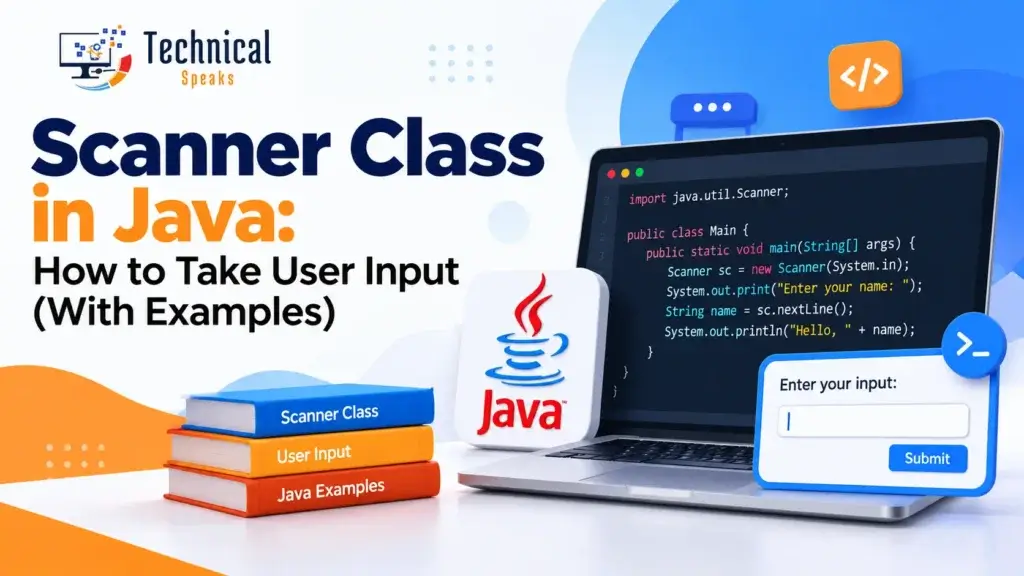
The Scanner class in Java is the easiest way to read input from the user. You import it from java.util and create it with new Scanner(System.in). Then you call methods like nextInt(), nextDouble() or nextLine() to read what the user types.
It’s usually one of the first classes you learn after your Java Hello World program. Here’s how it works, with examples, sample output and the common mistakes beginners run into.
How to use the Scanner class
Three steps:
1. Import it
import java.util.Scanner;2. Create a Scanner object
Scanner sc = new Scanner(System.in);System.in is the standard input stream, which is usually the keyboard.
3. Read input with a method
int age = sc.nextInt();New to Java? Make sure Java is set up first with our guide on how to install Java in Windows.
Common Scanner methods
| Method | Reads | Example input |
|---|---|---|
next() | One word (stops at a space) | Rahul |
nextLine() | A whole line, including spaces | Rahul Sharma |
nextInt() | An int | 25 |
nextLong() | A long | 9876543210 |
nextDouble() | A double | 4500.50 |
nextFloat() | A float | 3.14 |
nextBoolean() | A boolean | true |
nextByte() / nextShort() | A byte / short | 12 |
hasNextInt(), hasNext(), hasNextLine() | Checks if the next input is available or of that type | — |
Not sure which data type to use? See variables in Java.
Example 1: Reading a number, a name and a fee
import java.util.Scanner;

public class ScannerTest {
    public static void main(String[] args) {
        Scanner sc = new Scanner(System.in);

        System.out.print("Enter your roll number: ");
        int rollNo = sc.nextInt();

        System.out.print("Enter your first name: ");
        String name = sc.next();

        System.out.print("Enter your fee: ");
        double fee = sc.nextDouble();

        System.out.println("Roll Number: " + rollNo);
        System.out.println("Name: " + name);
        System.out.println("Fee: " + fee);

        sc.close();
    }
}
Sample output:
Enter your roll number: 101
Enter your first name: Rahul
Enter your fee: 4500.50
Roll Number: 101
Name: Rahul
Fee: 4500.5
Notice that next() only reads one word. If you typed “Rahul Sharma,” name would be “Rahul,” and “Sharma” would be left over for the next read, which here causes an error. To read a full name, use nextLine().
Example 2: Reading a full line with nextLine()
import java.util.Scanner;

public class FullName {
    public static void main(String[] args) {
        Scanner sc = new Scanner(System.in);

        System.out.print("Enter your full name: ");
        String fullName = sc.nextLine();

        System.out.println("Hello, " + fullName + "!");
        sc.close();
    }
}
Sample output:
Enter your full name: Rahul Sharma
Hello, Rahul Sharma!
The nextInt() and nextLine() problem (and how to fix it)
This is the most common Scanner bug. Look at this code:
System.out.print("Enter your age: ");
int age = sc.nextInt();

System.out.print("Enter your full name: ");
String name = sc.nextLine();   // skipped!
When you type 25 and press Enter, nextInt() reads 25 but leaves the Enter (a newline) behind. Then nextLine() reads that leftover newline and returns an empty string, so it looks like the program skipped your input.
Fix 1: consume the leftover newline
int age = sc.nextInt();
sc.nextLine();                 // eat the leftover newline
String name = sc.nextLine();   // now works
Fix 2: read everything as lines and convert
int age = Integer.parseInt(sc.nextLine());
String name = sc.nextLine();
Fix 2 is often cleaner in bigger programs, because every read behaves the same way.
Example 3: Validating input with hasNextInt()
If the user types letters when you expect a number, nextInt() throws an InputMismatchException and the program crashes. Check first:
import java.util.Scanner;

public class SafeInput {
    public static void main(String[] args) {
        Scanner sc = new Scanner(System.in);

        System.out.print("Enter a number: ");
        while (!sc.hasNextInt()) {
            System.out.print("That's not a number. Try again: ");
            sc.next();   // discard the invalid input
        }
        int number = sc.nextInt();

        if (number % 2 == 0) {
            System.out.println(number + " is even.");
        } else {
            System.out.println(number + " is odd.");
        }
        sc.close();
    }
}
Sample output:
Enter a number: abc
That's not a number. Try again: 7
7 is odd.
The if-else here is a simple conditional statement in Java.
Example 4: Reading many numbers in a loop
This program adds up numbers until the user enters 0:
import java.util.Scanner;

public class SumNumbers {
    public static void main(String[] args) {
        Scanner sc = new Scanner(System.in);
        int sum = 0;

        System.out.println("Enter numbers to add (0 to stop):");
        int n = sc.nextInt();
        while (n != 0) {
            sum += n;
            n = sc.nextInt();
        }

        System.out.println("Total: " + sum);
        sc.close();
    }
}
Sample output:
Enter numbers to add (0 to stop):
10
20
5
0
Total: 35
Learn more about while, for and do-while in loops in Java. You can use the same approach to fill an array and find the max and min in an array in Java.
Example 5: Reading from a file or a String
Scanner isn’t only for the keyboard.
From a String:
Scanner sc = new Scanner("10 20 30");
int total = 0;
while (sc.hasNextInt()) {
    total += sc.nextInt();
}
System.out.println(total);   // 60
sc.close();
From a file:
import java.io.File;
import java.io.FileNotFoundException;
import java.util.Scanner;

public class ReadFile {
    public static void main(String[] args) throws FileNotFoundException {
        Scanner sc = new Scanner(new File("data.txt"));
        while (sc.hasNextLine()) {
            System.out.println(sc.nextLine());
        }
        sc.close();
    }
}
Closing the Scanner (and a hidden trap)
Always close a Scanner when you’re done, to free resources. The cleanest way is try-with-resources:
try (Scanner sc = new Scanner(System.in)) {
    int x = sc.nextInt();
    System.out.println(x * 2);
}   // sc closes automatically
The trap: closing a Scanner wrapped around System.in also closes System.in itself. If you then create a new Scanner(System.in) elsewhere in the program, it won’t work. Create one Scanner for keyboard input, pass it around, and close it once at the end.
Scanner vs BufferedReader
| Scanner | BufferedReader | |
|---|---|---|
| Ease of use | Very easy; parses int, double, etc. | You parse values yourself |
| Speed | Slower for very large input | Faster |
| Best for | Beginners, small programs, exercises | Large input, competitive programming |
For learning and most everyday programs, Scanner is the right choice.
Practice programs using Scanner
- Take two numbers and print their sum, difference and product
- Check whether a number is even or odd
- Print a multiplication table for a number the user enters
- Ask for the number of rows and print star patterns in Java
More ideas: basic Java programs with output.
FAQ
What is the Scanner class in Java?
Scanner is a class in the java.util package that reads input from the keyboard, files or Strings, and converts it into types like int, double and String.
What’s the difference between next() and nextLine()?
next() reads a single word and stops at a space. nextLine() reads the entire line, including spaces, up to the Enter key.
Why does nextLine() get skipped after nextInt()?
nextInt() leaves the newline from the Enter key in the input. The next nextLine() reads that leftover newline. Add an extra sc.nextLine() after nextInt(), or read everything with nextLine() and convert it.
Do I have to close the Scanner?
It’s good practice, especially for files. For System.in, close it only once at the end of the program, because closing it also closes the keyboard input stream.
How do I read a char with Scanner?
There’s no nextChar(). Use sc.next().charAt(0) to read the first character of the next word.
What to learn next
Once you’re comfortable with input, move on to object-oriented Java: constructors in Java, encapsulation in Java, inheritance in Java, polymorphism in Java, abstraction in Java, interfaces in Java, the this, super and final keywords and HashMap in Java.
Final thoughts
The Scanner class in Java makes user input simple: import it, create one Scanner, read with the right method and close it once. Watch out for the nextInt() and nextLine() trap, validate input with hasNextInt(), and you’ll avoid most beginner bugs.
Have a question about Java? Get in touch with our team today.
Saurabh K. writes practical programming guides for beginners.
All code examples in this post were tested on Java 21 (LTS).