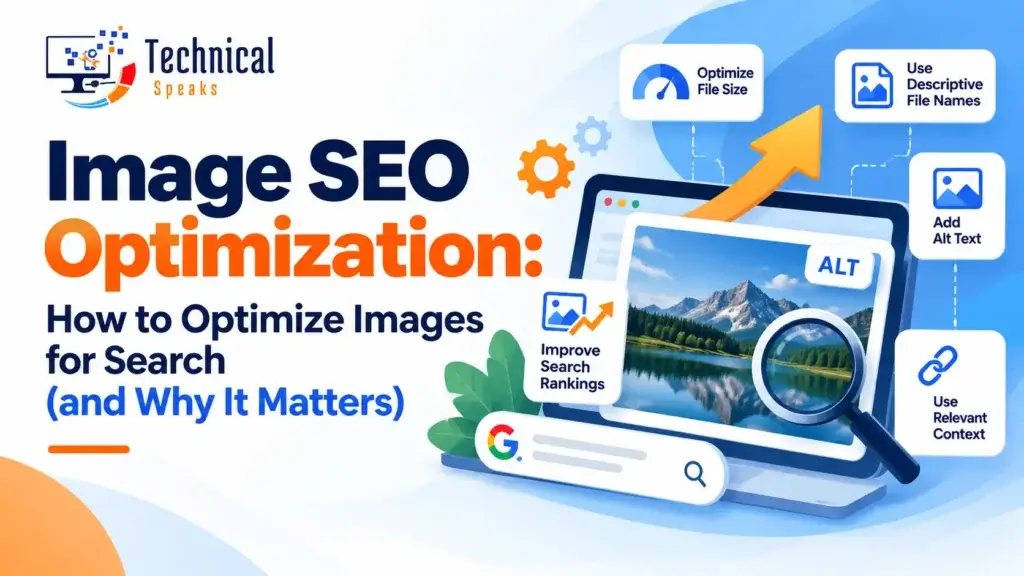
Image SEO optimization means making your images load fast and easy for search engines to understand. That way they help your pages rank, show up in Google Images and Google Lens, and give visitors a better experience.
Images make pages more useful and more engaging. But large, unlabelled images slow your site down and give Google nothing to work with. A few minutes of optimization per image fixes both problems.
Here’s a practical step-by-step guide, plus a checklist you can reuse.
What is image SEO optimization?
It covers two things:
- Performance: smaller files, the right format and sizes, and smart loading, so pages stay fast
- Understanding: descriptive file names, alt text, captions and surrounding text, so search engines know what each image shows
Example: on a running shoe store, IMG_1234.jpg with no alt text tells Google nothing. blue-mens-trail-running-shoe.webp with the alt text “Blue men’s trail running shoe with grippy rubber sole” gives it clear context, and helps a shopper using a screen reader too.
Step-by-step image SEO optimization
1. Choose the right file format
- WebP: smaller than JPEG or PNG at similar quality, and supported by all modern browsers. A great default
- AVIF: often even smaller than WebP, now widely supported. Good for large photos
- JPEG: fine for photos when you can’t use WebP or AVIF
- PNG: for graphics that need transparency or sharp edges
- SVG: for logos and simple icons, since it scales without losing quality
Many WordPress image plugins and CDNs can convert to WebP or AVIF automatically.
2. Compress your images
Big files are one of the most common reasons pages load slowly.
- Online tools: Squoosh, TinyPNG
- WordPress plugins: ShortPixel, Smush, Imagify
- Design tools: export at “web” quality
There’s no official size limit. As a rough guide, aim to keep most content images well under a few hundred KB, and as small as you can without visible quality loss.
3. Resize images to the size you actually show
Uploading a 4000-pixel photo and displaying it at 800 pixels wastes bandwidth.
- Export images close to the largest size they’ll appear on your site
- Use
srcsetso browsers pick the right size for each screen:
<img src="shoe-800.webp"
     srcset="shoe-480.webp 480w, shoe-800.webp 800w, shoe-1200.webp 1200w"
     sizes="(max-width: 600px) 480px, 800px"
     width="800" height="800"
     alt="Blue men's trail running shoe with grippy rubber sole">
WordPress creates several sizes and adds srcset for you automatically.
4. Always set width and height
Adding width and height attributes reserves space for the image before it loads. That stops the page from jumping around, which is measured as CLS (Cumulative Layout Shift), one of Google’s Core Web Vitals.
5. Lazy-load images below the fold, but not your main image
Lazy loading means images only load when someone scrolls near them.
- Use
loading="lazy"for images further down the page (WordPress adds this automatically) - Don’t lazy-load the main image at the top of the page. It’s often your Largest Contentful Paint (LCP) element, and delaying it makes the page feel slower
- Give that hero image
fetchpriority="high"so the browser loads it first
6. Use descriptive file names
Rename files before you upload them.
- Bad:
IMG_5678.jpg - Good:
red-leather-office-chair.jpg
Use hyphens between words, keep names short and describe what’s in the image. No need to stuff keywords.
7. Write helpful alt text
Alt text describes the image for people using screen readers and helps search engines understand it.
- Be specific: “Women’s white long-sleeve cotton office shirt” beats “shirt”
- Use keywords only when they naturally describe the image
- Keep it concise: a short sentence is usually enough
- Use empty alt (
alt="") for purely decorative images, so screen readers skip them
For a deeper guide, see how to improve SEO rankings with alt text optimization.
8. Give images context on the page
Google understands images partly through the text around them.
- Place images near the paragraph they relate to
- Add captions where they help the reader (captions get read a lot)
- Use descriptive headings above image-heavy sections
- Make important images regular
<img>elements, since CSS background images aren’t indexed as images
9. Use original images where you can
Your own product photos, screenshots, charts and team photos are more useful than generic stock, and they’re more likely to stand out in Google Images and Lens. They also support trust (the “experience” part of E-E-A-T).
10. Add structured data where it fits
Images show up in rich results through the schema of the page they’re on:
- Product schema with an image, for product pages
- Recipe, Article and VideoObject schema, each with an image property
- Licence metadata (IPTC or schema) if you want Google to show who owns the image and how it can be used
Most SEO plugins add the basic schema automatically.
11. Include images in your sitemap
Make sure your images can be found:
- Yoast and similar plugins include images in your XML sitemap automatically
- Google now only uses the image URL from image sitemaps; the old caption and title tags were dropped
Here’s how to set one up: how to create an XML sitemap.
12. Set Open Graph images for sharing
Add an og:image (most SEO plugins have a field for it) so your page shows a good preview on WhatsApp, LinkedIn, Facebook and X. Around 1200 × 630 pixels works well for most platforms.
13. Serve images through a CDN
A content delivery network (CDN) serves images from servers close to the visitor. Many CDNs also resize and convert formats on the fly. Pair this with general WordPress speed optimization and these tips to speed up WordPress in 2026.
How to check your image SEO
- Google PageSpeed Insights: flags oversized images, missing dimensions and LCP issues
- Google Search Console: go to Performance and set Search type to Image to see image search traffic
- Lighthouse (in Chrome DevTools): shows image-related speed and accessibility problems
- A crawler like Screaming Frog: finds missing alt text and large files across your site
More options in our list of free SEO tools.
Benefits of image SEO optimization
- Faster pages: lighter images improve load time and Core Web Vitals
- Extra traffic: visibility in Google Images, Google Lens and image packs in regular search
- Better user experience: sharp images that load quickly, on any device
- Higher conversions: clear, fast product photos help people buy with confidence
- Accessibility: alt text lets visually impaired visitors understand your content
- Lower hosting load: smaller files use less bandwidth
Images, visual search and AI answers
More people now search with their camera using Google Lens, and AI answers increasingly show images alongside text.
To make your images easier to surface:
- Use clear, original photos of real products, places and people
- Describe them accurately in alt text and captions
- Keep product details consistent across the page, schema and image
- Answer the main question in the text near the image
Learn more about how answer engine optimization works and how to get cited by AI answer engines.
Image SEO by site type
- Ecommerce: several angles per product, consistent backgrounds, zoomable images, Product schema. See our ecommerce SEO guide and these SEO-friendly product title best practices
- Blogs: original diagrams and screenshots, captions and a strong featured image
- YouTube creators: thumbnails follow the same rules (clear, readable, compelling). See why YouTube SEO matters
- Local businesses: real photos of your shop, team and work, also uploaded to your Google Business Profile
Image SEO checklist
- WebP or AVIF format (JPEG or PNG only when needed)
- Compressed without visible quality loss
- Resized close to display size, with
srcset widthandheightset- Hero image not lazy-loaded, with
fetchpriority="high" - Other images lazy-loaded
- Descriptive, hyphenated file name
- Helpful alt text (or
alt=""if decorative) - Relevant text or caption nearby
- Original image where possible
- Schema with an image where relevant
- Included in the XML sitemap
- Open Graph image set
For the rest of your page, use the full on-page SEO checklist.
Common image SEO mistakes
- Uploading huge photos straight from a camera or phone
- Lazy-loading the main image at the top of the page
- Missing width and height (pages jump while loading)
- Empty or stuffed alt text on important images
- Putting important images as CSS backgrounds
- Using text inside images instead of real text
- Leaving
IMG_1234.jpgfile names
More fixes in common technical SEO mistakes and how to fix them.
Frequently asked questions
What is image SEO optimization?
It’s making images load fast and easy for search engines to understand, using the right format, compression, file names, alt text, context and structured data.
Which image format is best for SEO?
WebP is a strong default. AVIF can be even smaller. Use SVG for logos and icons.
How long should alt text be?
Usually one short, descriptive sentence. Describe what’s in the image instead of aiming for a character count.
Should I lazy-load all images?
No. Lazy-load images below the fold, but load the main top-of-page image right away.
Do image file names matter for SEO?
Yes, a little. Descriptive names give search engines extra context, so they’re worth the few seconds it takes.
Do I still need an image sitemap?
Your normal XML sitemap with images included is enough. Most SEO plugins handle it automatically.
Final thoughts
Image SEO optimization is one of the easiest wins in SEO. Pick a modern format, compress and resize, set dimensions, load the hero image fast, and describe every important image clearly.
Make it part of your publishing routine, and your pages will be faster, more accessible and more visible in Google Images, Lens and AI answers.
For related reading, see mobile-first indexing factors, how UX design affects SEO and website performance and the latest SEO trends 2026.
About the author
Saurabh K. has been working in SEO and digital marketing for 10+ years, helping businesses grow their search traffic.