Ecommerce SEO is the work of helping your online store’s category and product pages show up in Google, and now in AI answers too, when people search for what you sell.
Ads stop the moment you stop paying. Good SEO keeps bringing in shoppers for months and years. It’s slower to start, but it compounds.
This guide walks you through the basics in plain English. It covers keywords, category and product pages, technical fixes, content, links and AI search, and ends with a step-by-step plan you can follow.
What is ecommerce SEO?
Ecommerce SEO means improving your store so search engines can find, understand and rank your pages for searches that lead to sales.
Say you sell running shoes. You want to show up for searches like:
- “running shoes for men” (a category page)
- “lightweight running shoes for flat feet” (a filtered category or buying guide)
- “Nike Pegasus 41 size 10” (a product page)
Each search has a different intent, so each needs a different page.
Why SEO matters for online stores
- Steady traffic without paying per click. Once a page ranks, visits keep coming.
- High buying intent. People searching for a product are often ready to buy.
- Trust. Shoppers tend to trust stores they find in organic results.
- A fair fight in niches. A small, well-optimized store can beat big brands on specific searches.
Still deciding between organic and paid? Here’s a fair comparison of SEO vs PPC.
1. Keyword research for ecommerce
Start with how your customers actually search, not with how you name things internally.
Group keywords by page type:
- Category keywords: “women’s yoga pants”, “wireless headphones”
- Product keywords: brand, model, size, colour
- Long-tail keywords: “high waisted yoga pants with pockets”, “cheap wireless earbuds for gym”
- Informational keywords: “how to choose running shoes” (perfect for blog guides)
Long-tail searches are usually easier to win and often convert well. Learn more about long-tail keywords.
Helpful tools include Google Keyword Planner, Google Search Console, Ahrefs and Semrush. See our picks of SEO keyword research tools, and this walkthrough of keyword research with Google Keyword Planner.
Two rules that save a lot of trouble:
- Give each page one main keyword plus close variations. Here’s how many SEO keywords per page makes sense.
- Don’t let two pages target the same keyword, or they’ll compete with each other. Read about keyword cannibalization.
If you also sell on marketplaces, keyword habits there are a bit different. See how to use Amazon search terms.
2. Category pages: your main ranking pages
For most stores, category pages bring in more organic traffic than individual products. They match broad searches like “men’s running shoes”.
Make them strong:
- A clear H1 that uses the category keyword (“Men’s Running Shoes”)
- A short intro above the products (2–3 helpful sentences)
- A longer section below the grid: how to choose, sizing tips, a few FAQs
- Links to related subcategories and buying guides
- Products that are actually in stock and relevant
Don’t stuff the text with keywords. Write what a helpful shop assistant would say.
3. Product pages that rank and sell
Product pages win long-tail and brand-plus-model searches.
- Product titles: brand, product type and key attribute, written naturally. See these SEO-friendly product title best practices.
- Unique descriptions: don’t copy the manufacturer’s text. Add real details such as fit, materials, who it’s for and what it’s not good for.
- Images: clear photos from several angles, compressed, with descriptive alt text. Our guide to image SEO optimization covers the details.
- Reviews and Q&A: real customer words answer questions and add fresh content.
- Meta descriptions: write them to earn the click (benefit, price range, shipping) rather than to repeat keywords. Learn how search engines use meta tags.
- Clean URLs: for example,
/running-shoes/mens-lightweight-trainer/.
Run each template through the on-page SEO checklist.
4. Site structure and internal links
A simple structure helps shoppers and search engines.
- Keep it logical: Home, then Clothing, then Men, then Jackets
- Use breadcrumbs on category and product pages
- Keep important categories within a few clicks of the homepage
- Link from blog guides to the matching categories and products
- Add “related products” and “popular in this category” blocks
A pillar page and content cluster setup works well here: one big buying guide supported by smaller posts, all linking to the category.
5. Technical SEO for online stores
Stores have more technical traps than most sites because of filters, variants and changing stock.
Crawling and indexing
- Submit an XML sitemap in Google Search Console
- Check your robots.txt carefully. These common robots.txt mistakes can block whole sections by accident
- Don’t let filter and sort URLs (colour, size, price) create thousands of near-duplicate pages. Index only the filter pages people actually search for
Duplicates and variants
- Use canonical tags so colour and size variants don’t compete
- Avoid publishing the same product under several category URLs without a canonical
Out-of-stock and discontinued products
- Temporarily out of stock: keep the page live and show when it’s back or suggest alternatives
- Discontinued for good: 301 redirect to the closest product or category
Speed and mobile
- Most shoppers browse on their phones, and Google indexes the mobile version first. See mobile-first indexing factors
- Watch Core Web Vitals, including INP (how quickly the page responds to taps and clicks)
- Use HTTPS everywhere
Structured data
- Add Product schema with price, availability and review ratings so you can earn rich results
- Connect Google Merchant Center for free product listings in Google Shopping
For a fuller list, see common technical SEO mistakes and how to fix them.
6. Content marketing for stores
Content brings in people who are still researching and gives other sites a reason to link to you.
Good ideas:
- Buying guides (“How to choose a gaming laptop”)
- Comparisons (“Merino vs cotton socks for hiking”)
- Size and fit guides
- Care and how-to articles
- Honest “best X for Y” roundups, including your own products where they fit
Every guide should link to the relevant category. For more ideas, see these content marketing strategies.
7. Links, reviews and brand mentions
Product pages rarely earn links on their own, so earn authority elsewhere and pass it inward.
- Digital PR with your own data
- “Where to buy” links from brands you stock
- Gift guides and product roundups
- Creator reviews that stay live (blogs, YouTube)
- Customer reviews on trusted platforms
The full playbook is in off-page SEO for ecommerce. For general link building, see how to create high-quality backlinks, and for reviews, these ways to boost online customer reviews.
Skip cheap link packages and spammy directories. They can do more harm than good.
8. UX and conversions
SEO brings people in. A good experience turns them into buyers.
- Clear navigation and useful filters
- Visible prices, shipping costs and return policy
- Simple “Add to Cart” and checkout buttons
- Trust signals: reviews, secure payment badges, contact details
- Several payment options, including UPI if you sell in India
See how UX design affects SEO and website performance.
9. Getting your store into AI answers (AEO)
Shoppers now ask ChatGPT, Perplexity and Google AI Overviews things like “best budget wireless earbuds for running.”
To show up more often:
- Keep product details clear and consistent: specs, sizes, prices, policies
- Publish honest buying guides that answer comparison questions directly
- Use structured data so machines can read your product information
- Earn mentions on review sites, roundups and communities
Learn more about how answer engine optimization works and how to get cited by AI answer engines.
10. Local SEO (if you have a physical store)
If you also have a shop or showroom:
- Set up and keep your Google Business Profile active
- Ask happy customers for Google reviews
- Use location naturally, such as “organic grocery store in Pune”
See the benefits of local SEO and how to monetize Google Business Profile.
Selling across countries? That needs its own plan. See international ecommerce SEO.
A step-by-step ecommerce SEO plan
Step 1: Audit your store. Check indexing, speed, mobile usability and current rankings in Google Search Console. These free SEO tools help.
Step 2: Study your competitors. See which category pages and keywords bring them traffic. Use this SEO competitor analysis guide.
Step 3: Map keywords to pages. One main keyword per category or product page.
Step 4: Fix your top category pages first. They usually have the biggest upside.
Step 5: Improve product templates. Titles, descriptions, images, reviews and schema.
Step 6: Clean up technical issues. Filters, canonicals, redirects and speed.
Step 7: Publish helpful guides. Link each one to the matching category.
Step 8: Build authority. PR, supplier links, creators and reviews.
Step 9: Measure and repeat. Track organic revenue, not just traffic.
How to measure ecommerce SEO
- Organic revenue and conversions (Google Analytics 4)
- Clicks and impressions for category pages (Search Console)
- Rankings for your main category keywords
- Indexed pages compared with pages you actually want indexed
- Product rich results and Merchant Center performance
- Branded searches over time
To tie SEO results to sales, read SEO performance marketing: from organic traffic to revenue.
Common ecommerce SEO mistakes
- Copying manufacturer descriptions
- Thin category pages with no helpful text
- Letting filter URLs flood Google’s index
- Deleting out-of-stock products without a redirect
- No product schema
- A slow mobile site
- Two pages chasing the same keyword
- Ignoring reviews
- Buying low-quality links
Frequently asked questions
What is ecommerce SEO?
It’s optimizing your online store’s category pages, product pages and content so they rank in search engines and AI answers for searches that lead to sales.
Which pages matter most for ecommerce SEO?
Usually category pages, because they match broad, high-intent searches. Product pages win long-tail and model-specific searches.
How long does ecommerce SEO take?
Most stores see early movement within a few months. Strong results usually take six months or more, depending on competition.
Should I write unique descriptions for every product?
Yes, at least for your best sellers and key products. Copied manufacturer text gives Google no reason to rank your page over everyone else’s.
What should I do with out-of-stock products?
Keep temporarily unavailable products live with alternatives. Redirect permanently discontinued ones to the closest match.
Do I need an expert?
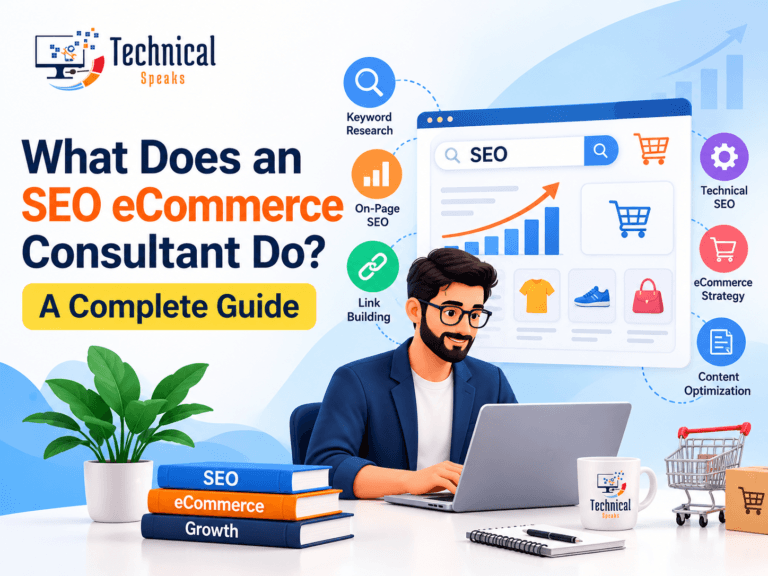
Not to start. As your store grows, an expert can speed things up. Here’s what an SEO ecommerce consultant does.
Final thoughts
Ecommerce SEO isn’t one big trick. It’s a set of simple jobs done well: the right keywords on the right pages, strong category pages, useful product pages, a clean technical setup, helpful content and real trust signals.
Start with your top categories and best-selling products, fix the technical basics, and build from there. Track revenue, not just rankings.
For what’s changing this year, read SEO trends 2026. Launching a new store? Start with SEO for a new website.
About the author
Saurabh K. has been working in SEO and digital marketing for 10+ years, helping businesses grow their search traffic.