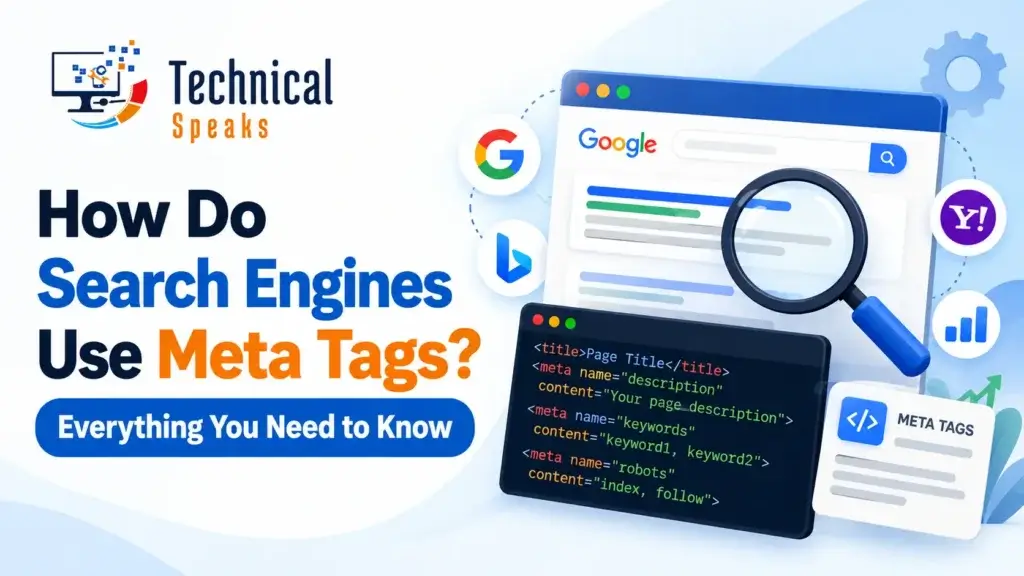
Search engines use meta tags for three jobs: to decide whether a page can be indexed, to control what appears in search results (including snippets in AI Overviews), and to understand basics like language and mobile display. Most meta tags don’t directly affect rankings. But one wrong tag, like an accidental noindex, can remove a page from Google completely.
Meta tags are short pieces of HTML in the <head> of a page. Visitors don’t see them, but search engine bots read them on every crawl. Some are followed strictly, some are treated as hints, and some have been ignored for years.
Here’s which ones actually matter.
The tags that matter most at a glance
| Tag | What it does | Affects rankings? |
|---|---|---|
| Title tag | The clickable headline in search results | Yes, it’s a relevance signal |
| Meta description | A suggested summary for the snippet | No, but it affects clicks |
| Meta robots | Controls indexing, link following and snippets | Indirectly; it can block a page entirely |
| Googlebot meta | Robots rules only for Google | Same as above, Google only |
| Viewport | Makes the page display properly on mobile | Indirectly, through page usability |
| Charset | Declares character encoding | No; prevents broken text |
| Site verification | Proves ownership for Search Console or Bing | No |
| Keywords | Lists target keywords | No; ignored by Google |
The title tag: not technically a meta tag, but the most important one
The title tag (<title>) sits in the head along with meta tags, and it’s the one that matters most. Google uses it to understand the page, and it’s usually the blue headline searchers click.
Good title tags:
- Put the main topic near the start
- Stay under about 60 characters so they’re less likely to be cut off
- Are unique for every page
- Match what the page actually delivers
Google sometimes rewrites titles, especially when they’re too long, stuffed with keywords or don’t match the page. A clear, honest title is the best way to keep yours. For product pages, see our tips on SEO-friendly product titles. A strong title also lifts your click-through rate.
The meta description: a suggestion, not a command
<meta name="description" content="A clear, honest summary of the page in about 150–160 characters.">What it actually does:
- Google may show it as the snippet under your title.
- Google often rewrites it, pulling text from the page that better matches each search.
- It is not a ranking factor, which Google has confirmed many times.
So why write one? Because when Google does use it, it’s your sales pitch. A clear benefit and a reason to click can noticeably improve CTR. Write a unique one for each important page, and don’t stuff it with keywords.
The meta robots tag: the most powerful tag on the page
<meta name="robots" content="noindex, follow">This tag tells search engines what they’re allowed to do with the page. The most common values are:
| Value | What it means |
|---|---|
index / noindex | Allow or block the page from search results |
follow / nofollow | Allow or stop bots following links on the page |
noarchive | Don’t show a cached copy |
unavailable_after: [date] | Remove from results after a date |
Key rules:
- If tags conflict, Google follows the most restrictive one. If both
indexandnoindexappear,noindexwins. noindexonly works if Google can crawl the page. If robots.txt blocks the page, Google never sees the noindex. This is one of the most common robots.txt mistakes.- To give Google-only rules, use
<meta name="googlebot" content="...">. Bing usesbingbot.
Accidental noindex is a classic disaster. A page usually drops out of results soon after Google recrawls it. After you fix it, getting back in can take a while, so check your key templates after every redesign. It’s one of the common technical SEO mistakes we see most.
Snippet controls: deciding what appears in AI Overviews and results
These robots values control how much of your content Google can show, including in AI Overviews and AI Mode:
| Value | What it does |
|---|---|
nosnippet | No text snippet or video preview at all |
max-snippet:[number] | Limits snippet length to that many characters |
max-image-preview:large | Allows large image previews (recommended for most sites) |
max-video-preview:[seconds] | Limits video preview length |
noimageindex | Don’t index images on the page |
You can also wrap part of a page in data-nosnippet to keep just that text out of snippets:
<p data-nosnippet>This text won't be used in snippets.</p>A word of caution: blocking snippets can reduce how often you’re shown or cited, in both classic results and AI answers. Most sites want to appear in AI Overviews, so use these controls only for content you truly need to protect. Learn how AI answer engines and answer engine optimization work, and how featured snippets are chosen.
X-Robots-Tag: meta robots for PDFs and images
Files like PDFs and images don’t have a <head>. To noindex them, your server sends the same rules in an HTTP header:
X-Robots-Tag: noindex
This is useful for duplicate PDFs, private downloads or staging files.
Viewport and charset: the quiet essentials
<meta charset="UTF-8">
<meta name="viewport" content="width=device-width, initial-scale=1">- Viewport makes your page fit mobile screens. Google indexes the mobile version of your site, so a page without it is hard to use and loses visitors.
- Charset prevents broken characters, which matters for languages with accents or non-Latin scripts.
Most modern themes add both automatically, but it’s worth checking.
The keywords meta tag: ignore it
Google said back in 2009 that it doesn’t use the keywords meta tag for ranking. It had been abused so heavily that it was useless. Bing has said a stuffed keywords tag can even look like spam.
If an “SEO expert” still sells keyword tags as important, treat it as a red flag. Your keywords belong in your title, headings and content. Here’s how many SEO keywords per page makes sense.
Head tags that are often confused with meta tags
These aren’t <meta> tags, but they live in the same place and matter for SEO:
- Canonical (
<link rel="canonical">) tells search engines which URL is the main version of duplicate or similar pages. Here’s what an SEO canonical tag is. - Hreflang (
<link rel="alternate" hreflang="...">) points to language and country versions. It’s key for international sites, as covered in our international SEO audit guide. - Open Graph and Twitter cards (
og:title,og:image) control how links look when shared on social media and in some apps. They don’t affect Google rankings.
If you’ve moved a page, use a 301 redirect, not a meta refresh. See 301 redirects in WordPress.
Example: a clean, SEO-friendly <head>
<head>
  <meta charset="UTF-8">
  <meta name="viewport" content="width=device-width, initial-scale=1">
  <title>How to Choose Running Shoes for Flat Feet | ShoeShop</title>
  <meta name="description" content="Flat feet? Learn what to look for in running shoes, from arch support to cushioning, plus our top picks for every budget.">
  <meta name="robots" content="index, follow, max-image-preview:large">
  <link rel="canonical" href="https://www.example.com/running-shoes-flat-feet/">
  <meta property="og:title" content="How to Choose Running Shoes for Flat Feet">
  <meta property="og:image" content="https://www.example.com/images/flat-feet-shoes.jpg">
</head>
How to check your meta tags
- View source: right-click a page, choose “View page source” and search for
<meta. - Google Search Console: the URL Inspection tool shows whether a page is indexed and whether a noindex was found.
- SEO plugins: Yoast and Rank Math let you edit titles, descriptions and robots settings per page in WordPress.
- Site crawlers: Screaming Frog (free up to 500 URLs) finds missing, duplicate or overly long titles and descriptions across your site.
Add these checks to your routine with our on-page SEO checklist, and pair them with good HTML headings.
Common meta tag mistakes
- Leaving
noindexon after launching a site - Blocking a page in robots.txt and expecting noindex to work
- Duplicate titles and descriptions across many pages
- Titles stuffed with keywords
- Missing viewport tag on older templates
- Using
nosnippetsitewide and then wondering why AI Overviews never cite you - Spending time on the keywords tag
FAQ
Do meta tags help SEO rankings?
Mostly not directly. The title tag is a relevance signal, but the meta description and keywords tags don’t affect rankings. The robots tag matters because it can stop a page from being indexed at all.
Does Google always use my meta description?
No. Google often writes its own snippet from your page content if it better matches the search. A clear, accurate description is more likely to be used.
What happens if I add noindex by mistake?
The page drops out of Google’s results once it’s recrawled. Remove the tag, then request indexing in Search Console’s URL Inspection tool.
Can I stop my content from appearing in AI Overviews?
You can limit it with nosnippet, max-snippet or data-nosnippet, but that can also reduce your visibility in normal results. Most sites benefit from being cited.
Do Google and Bing read meta tags the same way?
Mostly. Both respect the standard robots tag and use title and description tags. Use googlebot or bingbot for engine-specific rules.
Final thoughts
Meta tags won’t push a page to the top on their own. But getting them right removes barriers: your pages can be indexed, your snippets look good and your content can be shown in AI answers. Write a strong title and description for each important page, check your robots settings after every site change, and ignore the keywords tag. For the bigger picture, see our web search engine positioning guide.
Want us to check your site’s meta tags? Get in touch with our team today.
Saurabh K. has been working in SEO and digital marketing for 10+ years, helping businesses grow their search traffic.