


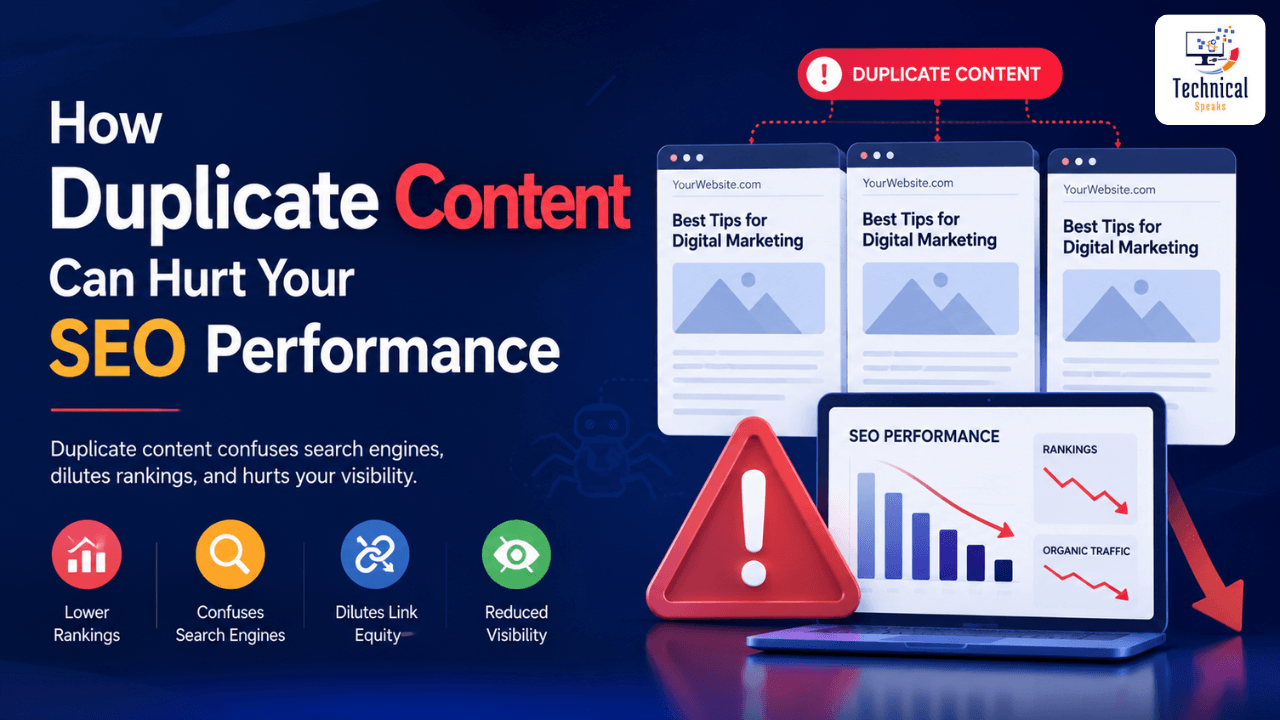
Duplicate Content SEO refers to the practice of managing and optimizing identical or near-identical content across multiple URLs to prevent ranking damage. Duplicate content harms SEO by diluting link equity, wasting crawl budget, confusing search engines about which page to rank, and triggering keyword cannibalization. While Google doesn’t penalize duplicate content directly, it creates operational inefficiencies that lower your rankings, reduce organic traffic, and damage domain authority. Fix duplicates using 301 redirects, canonical tags, and noindex meta tags. Regular content audits every 3 months help maintain unique, valuable content that ranks well in 2026’s search landscape.
Introduction
Duplicate Content SEO is one of the most misunderstood yet damaging issues affecting website rankings. Many business owners assume that having similar content across multiple pages is harmless—but search engines see it differently.
When Google discovers duplicate content, it faces a dilemma: which version should it index and rank? Often, the answer is neither. Duplicate content dilutes your link equity, confuses crawlers, wastes your crawl budget, and can trigger ranking penalties or even increase the risk of Google penalties, pushing your pages deep into search results.
Here’s the good news: Google’s Martin Splitt has clarified that duplicate content itself doesn’t negatively impact a site’s perceived quality in Google’s eyes. However, it still creates significant operational challenges that can silently erode your search performance. Understanding how Duplicate Content SEO works is the first step to protecting your organic visibility.
In 2026, mastering Duplicate Content SEO has become more critical than ever, with Google’s algorithms becoming increasingly sophisticated at detecting and managing duplicate material across the web.
What Is Duplicate Content SEO?
Duplicate Content SEO refers to the optimization strategies and technical practices used to identify, manage, and resolve duplicate content issues that can harm a website’s search engine rankings.
Duplicate content itself is substantial blocks of text that appear on multiple URLs—either within your own website (internal duplicates) or across different websites (external duplicates). Search engines define duplicate content as content that is either completely identical or very similar across different pages.
Duplicate Content SEO can appear in many forms:
Printer-friendly versions of pages
WWW vs. non-WWW URLs
Session IDs and tracking parameters
Pagination issues
E-commerce product variants (size, color, region)
Scraped content from other websites
Login pages (as highlighted by John Mueller in 2026)
Multiple URLs with different trailing slashes
HTTP vs. HTTPS versions
When Google encounters multiple versions of the same information, it faces a dilemma: which version deserves to rank? This often results in all versions ranking lower than if a single, canonical version existed. This is where effective Duplicate Content SEO strategies become essential.
In 2026, even login pages can trigger duplicate content issues. Google’s John Mueller explains that if multiple private URLs all redirect to the same generic login screen, Google may treat them as duplicates and index the login page itself—potentially outranking your actual content in search results.
Why Does Duplicate Content SEO Matter?
Duplicate Content SEO matters because it fundamentally undermines your search performance across multiple dimensions:
1. Diluted Ranking Signals
Backlinks, social shares, and engagement metrics are powerful ranking factors. If your content appears on three different URLs, each page will receive only a fraction of the total link equity. Instead of one strong page, you end up with three weak pages that struggle to rank. Effective Duplicate Content SEO consolidates these signals into one authoritative page.
2. Crawl Budget Waste
Google allocates a specific “crawl budget” to your site—the number of pages Googlebot is willing to crawl in a given timeframe. When bots waste time crawling duplicate pages, they may never reach your fresh, unique content. This means new blog posts or product pages could stay unindexed for weeks. Duplicate Content SEO ensures your crawl budget is spent on valuable pages.
3. Keyword Cannibalization
If you have two similar pages targeting the same keyword, they compete against each other. Google may rank the wrong page (e.g., an old, thin post instead of your updated cornerstone article). This Duplicate Content SEO dynamic is particularly common in e-commerce sites with near-identical product descriptions.
4. Loss of Authority and Trust
When users click through to two different URLs expecting unique value but find the same information, they bounce. High bounce rates signal poor user experience, and over time, your domain authority suffers. Duplicate Content SEO eliminates this confusion.
5. Slow Indexing of New Content
When Googlebot spends too much time on duplicates, fresh content stays unindexed longer—delaying your ability to rank for new topics. A solid Duplicate Content SEO strategy prevents this bottleneck.
6. Erosion of E-E-A-T Signals
In 2025, content originality and context became Google’s top ranking priorities. Duplicate content can quietly erode your E-E-A-T (Experience, Expertise, Authoritativeness, Trust) signals, making it harder to rank for competitive keywords. Duplicate Content SEO protects these critical signals.
Benefits of Duplicate Content SEO
Implementing a robust Duplicate Content SEO strategy delivers significant benefits:
1. Higher Rankings and More Organic Traffic
Consolidating duplicate content into one authoritative page improves rankings, increases click-through rates, and drives more organic traffic to your site.
2. More Efficient Crawling
Resolving duplicates frees up crawl budget, allowing Google to discover and index your new and updated content faster.
3. Better User Experience
Users see the most relevant page for their query instead of being confused by multiple similar results. This reduces bounce rates and boosts engagement.
4. Improved Conversion Rates
Eliminating duplicate product pages ensures customers land on the correct variant (e.g., with pricing, stock availability, and reviews) at the right time, increasing the likelihood of purchase.
5. Clearer Analytics and Reporting
With unique pages, Google Search Console and analytics tools show accurate data without fragmented metrics. You’ll clearly see which content actually performs.
6. Stronger Link Equity
All backlinks point to one URL, concentrating authority and improving your page’s ranking potential.
7. Simplified Site Management
Maintaining a canonical version of each piece of content makes ongoing content management and updates easier.
How Duplicate Content SEO Works
Duplicate Content SEO works through a systematic process of identification, categorization, and resolution. Here’s what happens:
Step 1: Discovery
Googlebot finds multiple URLs with similar or identical content through your sitemap, internal links, or external backlinks.
Step 2: Evaluation
Google’s algorithm processes each duplicate page, attempting to determine which version is the “original” or most authoritative.
Step 3: Dilution
Instead of consolidating ranking signals from all duplicate pages, Google distributes them across multiple URLs. This means each page receives less link equity, fewer social signals, and lower authority than if a single canonical version existed.
Step 4: Cannibalization
If two pages target the same keyword, they compete against each other in search results. Google may rank the wrong page—often the one with more backlinks or age, not necessarily the most relevant or updated one.
Step 5: Crawl Budget Depletion
Googlebot spends time crawling all duplicate versions, leaving less time for fresh, unique content. Important pages may remain unindexed for weeks or months.
Step 6: User Confusion
When users see multiple similar results in search, they may click the wrong version, experience duplicate information, and bounce back to search results—signaling low quality to Google.
In severe cases, Google may choose to not index any version of the duplicate content, removing it from search results entirely. A proactive Duplicate Content SEO approach prevents this outcome.
Step-by-Step Implementation Guide
Step 1: Audit Your Website for Duplicate Content
Tools to Use:
Screaming Frog SEO Spider (free up to 500 pages): Crawl your site, sort by “Duplicate content” or “Similar page” columns
Google Search Console: Check the “Page indexing” report → “Duplicate without user-selected canonical” and “Alternate page with proper canonical tag”
Siteliner: Free tool that scans for internal duplicates
Copyscape: Scan for external duplicates and scraped content
Ahrefs or Semrush: Content audit tools for overlapping pages
Manual Check:
Search site:yourdomain.com "exact phrase" to find multiple pages with identical text.
Pro Tip: Run an audit every 3 months, especially after major site updates or migrations.
Step 2: Categorize Duplicates by Type
| Type | Description | Priority |
|---|---|---|
| Exact duplicates | Identical content on multiple URLs | High |
| Near-duplicates | Very similar content with minor variations | High |
| Parameter-based | Sorting, filtering, session IDs | Medium |
| Pagination | Blog archive pages, category pages | Medium |
| WWW vs. non-WWW | www.example.com vs. example.com | High |
| HTTP vs. HTTPS | Both protocols accessible | High |
Step 3: Choose the Right Fix Method
A. Use 301 Redirects (Best for Permanent Duplicates)
Redirect duplicate URLs to the master version:
example.com/page→example.com/primary-page
Redirects are Google’s strongest canonicalization signal. They fully consolidate link equity and automatically send both users and crawlers to the correct page. Use these when a duplicate URL no longer needs to be accessible.
B. Use Canonical Tags (Best for Necessary Duplicates)
Tell Google which version is the master:
<link rel="canonical" href="https://example.com/master-page/" />Keeps both pages accessible (useful for e-commerce filters and product variants) while passing link equity to the canonical URL.
C. Use Noindex (Best for Low-Value Pages)
Prevent indexing of parameter pages, printer-friendly versions, or tag archives:
<meta name="robots" content="noindex" />Removes pages from search results entirely, saving crawl budget.
D. Use Parameter Handling in Search Console
Tell Google how to treat URL parameters:
“Every URL” (crawl all)
“Only some” (Google chooses)
“No URLs” (ignore this parameter)
“Every URL that represents a different page” (product filters)
Step 4: Implement Canonical Tags Correctly
Canonical Tag Best Practices:
Use absolute URLs (not relative) to avoid confusing crawlers
Use HTTPS protocol consistently
Maintain trailing slash consistency (either always include or always omit)
Use lowercase URLs (URLs are case-sensitive)
Ensure only one canonical tag exists per page—multiple canonicals confuse Google
Self-referencing canonicals on master pages reinforce authority
Check your raw HTML vs. rendered version—if using JavaScript frameworks like React, ensure the canonical is set in the raw HTML, not changed during rendering
Important: Google treats canonical tags as strong hints, not absolute directives. If other signals (redirects, internal links, sitemaps) point to a different URL, Google may override your declared canonical. Align all your signals: redirects, internal links, sitemaps, and canonical tags should all point to the same preferred URL.
Step 5: Consolidate Similar Content
When you have multiple very similar pages:
Combine them into one comprehensive pillar page
Redirect the weaker versions to the new pillar page
Update internal links to point to the consolidated URL
Update your sitemap to reflect the change
As Google’s Martin Splitt explains: “It makes information easier to find for your users, will make reporting in Google Search Console easier to work with, and will reduce clutter on your site.”
Step 6: Monitor and Validate Results
After implementing fixes:
Submit the canonical URL in Google Search Console for indexing
Monitor rankings for your target keywords
Check crawl stats in Search Console to ensure crawl budget improvement
Validate changes by re-running your duplicate content audit
Track organic traffic and conversions to measure impact
Best Practices for Duplicate Content SEO
1. Establish a Single Source of Truth
Designate one canonical URL for each piece of content. All internal links, external backlinks, social shares, and your sitemap should point to this version.
2. Use Canonical Tags on Syndicated Content
If you republish content on other platforms, ask the original source to add a canonical link back to you. This ensures you receive the SEO credit.
3. Implement Hreflang for International Versions
When you have the same content in different languages, use hreflang tags to tell Google which version to show to which audience.
4. Standardize Your URL Structure
Decide on:
WWW vs. non-WWW
HTTPS (required for all sites in 2026)
Trailing slash consistency
Lowercase URLs
Logical URL hierarchy (domain.com/category/product)
5. Audit Your Site Regularly
Run duplicate content audits every 3 months, especially after:
Adding new content
Site migrations
URL restructuring
E-commerce product updates
6. Avoid AI Content Dumping
As of mid-2026, a major SEO “don’t” is publishing AI-generated content directly without human editing. Google has gotten significantly better at detecting AI-generated text, and it actively pushes that content down in search results. If you generate 50 blog posts with AI and upload them all, you’re essentially telling Google your site is a content farm—and it will treat it as one.
7. Create Unique Meta Descriptions
Even if content is similar, ensure each page has unique meta descriptions and title tags to differentiate them for Google and users.
8. Use Noindex for Pagination
For tag pages, archive pages, and paginated content, consider using noindex to prevent them from competing with your main content.
9. Implement URL Parameters Correctly
For e-commerce sites, use Google Search Console’s URL Parameter tool to tell Google which parameters create new content vs. which are irrelevant for indexing.
Common Mistakes to Avoid
1. Ignoring WWW vs. non-WWW Duplicates
Failing to set a preferred domain in Search Console and redirect one version to the other splits link equity.
Fix: Set your preferred domain in Google Search Console (Settings → Preferred domain) and add a 301 redirect from the non-preferred to the preferred version.
2. Using Canonical Tags Incorrectly
Common canonical tag mistakes include:
Using relative URLs instead of absolute URLs
Pointing to pages that 301 redirect
Using noindex and canonical together (conflicting signals)
Having multiple canonical tags on one page
Fix: Audit your canonical tags. Ensure only one exists per page and it points to a non-redirecting URL.
3. Not Consolidating Product Variations Correctly
E-commerce sites often create separate pages for color or size variants. Without proper canonical tags, each variant competes for rankings.
Fix: Use canonical tags on variant pages pointing to the main product page, or use a single product page with variant selectors.
4. Overlooking Session IDs
E-commerce platforms often append session IDs to URLs, creating countless duplicate pages.
Fix: Use URL parameter handling in Google Search Console and configure your CMS to generate session-less URLs.
5. Duplicate Title Tags and Meta Descriptions
Even if content is unique, duplicate title tags and meta descriptions confuse search engines.
Fix: Use tools like Screaming Frog to identify duplicate title tags and rewrite them uniquely for each page.
6. Using Noindex on Canonical Pages
If you noindex a page that others link to as a canonical, Google will drop it from search—wasting your link equity.
Fix: Never combine noindex and canonical tags on the same page. Choose one method.
7. Creating Multiple URLs for the Same Content
Common examples include:
domain.com/blogdomain.com/blog/domain.com/index.php/blogdomain.com/blog?page=1
Fix: Implement a strict 301 redirect strategy to enforce one canonical URL per piece of content.
8. Forgetting About Internal Duplicate Links
If you internally link to multiple versions of the same page, you confuse Google about which version to prioritize.
Fix: Ensure all internal links point to your canonical version.
Tools You Need for Duplicate Content SEO
| Tool | Best For | Free Option |
|---|---|---|
| Screaming Frog SEO Spider | In-depth duplicate content audits, duplicate titles, missing canonicals | Yes (500 pages) |
| Google Search Console | Identifying canonical issues, crawl stats, index coverage | Yes |
| Semrush | Content audit, duplicate content detection, competitor analysis | Limited free |
| Ahrefs | Duplicate content reporting, backlink analysis, content gap analysis | Limited free |
| Siteliner | Quick duplicate content scans | Limited free |
| Copyscape | Finding external duplicates and scraped content | Paid |
| SEO Quake | On-page analysis, checking canonical tags | Yes |
| Google Analytics | Tracking organic performance and bounce rates | Yes |
| DeepCrawl | Enterprise-level duplicate content detection | Paid |
| Moz Pro | Duplicate content reporting and site audits | Limited free |
Latest Trends in Duplicate Content SEO (2026)
1. AI Content Detection
Google’s algorithms have become significantly more sophisticated at detecting AI-generated content. Publishing AI-written content without substantial human editing and unique insight now leads to ranking demotions. The focus is on “human-centric, helpful content” that demonstrates genuine expertise.
2. Login Page Duplication Issues
John Mueller recently highlighted a growing issue: if multiple private URLs redirect to the same generic login page, Google may treat these as duplicates and index the login page itself. This means your login page could outrank your actual content in search results.
3. JavaScript-Rendered Canonicals
With increasing use of JavaScript frameworks, Google is now more careful about evaluating canonical tags rendered via JavaScript. Ensure your canonical tags are present in raw HTML to guarantee they’re processed correctly.
4. Mobile-First Indexing
Google predominantly uses the mobile version of your site for crawling and indexing. Duplicate content issues on mobile versions (e.g., separate m. subdomains) require careful canonicalization to avoid ranking problems.
5. E-E-A-T and Content Originality
Google’s E-E-A-T guidelines continue to emphasize content originality and expertise. Duplicate or thin content erodes these signals, making it harder to rank, especially in YMYL (Your Money or Your Life) niches.
6. Automated Duplicate Detection
Platforms like Semrush and Ahrefs now offer automated duplicate content audits with AI-powered recommendations. Regular, automated scans catch duplicates before they impact performance.
7. Core Web Vitals and Duplicates
Duplicate content can indirectly affect Core Web Vitals. Multiple URLs serving the same content increase server load, potentially slowing down page speed. Consolidating duplicates improves performance metrics.
8. Voice Search and Duplicates
With voice search growing, duplicate content creates confusion for voice assistants trying to provide single, definitive answers. Unique, authoritative content is prioritized for voice search results.
Real Examples and Case Studies
Example 1: E-commerce Product Variants
Problem: An online clothing store had 50 product pages for variations of the same t-shirt (same content, different colors/sizes). Google indexed all 50, competing against each other.
Solution: The store implemented canonical tags on all variant pages pointing to the master product page. They also created unique product descriptions for each variant where possible.
Result: The master product page moved from position #12 to #3 for its target keyword, and organic traffic increased by 48% within 2 months.
Example 2: Blog Post Duplicates
Problem: A B2B SaaS blog had two separate articles—one from 2022 and one from 2024—both targeting the same keyword. The older article had more backlinks but outdated information.
Solution: The team updated the 2024 article with current data, added a 301 redirect from the 2022 URL to the 2024 URL, and updated all internal links.
Result: Within 3 months, the new article rose to position #1 for its target keyword, driving 220% more organic traffic.
Example 3: WWW vs. Non-WWW
Problem: A news site had both www and non-www versions indexed, splitting their backlink profile and diluting authority.
Solution: They set their preferred domain in Google Search Console to www. and implemented a 301 redirect from non-www to www. They also updated all internal links and their sitemap.
Result: Overall organic traffic increased by 32%, and the site’s average ranking for primary keywords improved by 4 positions.
Example 4: Syndicated Content
Problem: A marketing blog republished its articles on Medium and LinkedIn, causing duplicate content concerns.
Solution: The blog added a canonical tag to their Medium posts pointing back to the original blog URL. LinkedIn posts were linked with “read more” excerpts instead of full content.
Result: The original blog articles retained their ranking authority, and the syndicated versions drove referral traffic without cannibalizing rankings.
Example 5: Product Filter URLs
Problem: An e-commerce store had over 10,000 indexed filter URLs (color=red, size=large, etc.) creating massive duplicate content issues and exhausting the crawl budget.
Solution: They used Google Search Console’s URL Parameter tool to tell Google that these parameters don’t create new content. They also added noindex tags to filter pages and improved their site architecture.
Result: Crawl efficiency improved by 60%, and the main product category pages saw a 28% increase in organic traffic within 3 months.
FAQs
Q: What is Duplicate Content SEO?
Duplicate Content SEO refers to the strategies and technical practices used to identify, manage, and resolve duplicate content issues on a website. It involves using canonical tags, 301 redirects, noindex tags, and proper URL parameter handling to ensure search engines index only the correct version of your content.
Q: Does duplicate content cause a Google penalty?
No, Google does not impose a “duplicate content penalty” in most cases. Instead, duplicate content leads to ranking inefficiencies—diluted link equity, wasted crawl budget, and keyword cannibalization. In severe cases of scraped content or obvious spam, Google may manually devalue the offending pages.
Q: What’s the difference between a 301 redirect and a canonical tag?
A 301 redirect permanently moves users and search engines to a different URL, consolidating all link equity. A canonical tag tells search engines which URL is the master version but keeps both pages accessible. Use 301 redirects for permanent consolidation; use canonical tags when duplicates need to remain available.
Q: How often should I check for duplicate content?
Audit your site for duplicate content every 3 months, and always after major updates, migrations, or adding new content in bulk. Regular audits are a cornerstone of effective Duplicate Content SEO.
Q: Is syndicated content bad for SEO?
No, as long as you use canonical tags pointing back to the original source. Syndication can increase brand visibility and referral traffic without harming your SEO.
Q: What about product filters and sorting?
Product filter URLs (e.g., color=red, size=large) create duplicate content issues. Use canonical tags pointing to the base product page, or implement Google’s URL parameter handling in Search Console. Avoid having filter URLs indexed.
Q: How does Google choose which duplicate to rank?
Google selects the version it considers most authoritative based on several signals: canonical tags, 301 redirects, internal link popularity, external backlinks, and the age of the page. Google also tends to prefer pages with better user engagement metrics.
Q: Can I use noindex and canonical together?
No. Noindex tells Google not to index a page, while canonical tells Google which version to index. Using them together sends conflicting signals and can cause Google to ignore both directives. Choose one method per page.
Q: What’s the best way to handle duplicate content for e-commerce?
For e-commerce, use canonical tags on variant pages pointing to the master product page. For filter URLs, use Google’s URL Parameter tool. Create unique product descriptions for each product when possible.
Q: How much does duplicate content affect SEO?
Duplicate content can significantly affect SEO by diluting link equity (splitting it across multiple pages), wasting crawl budget, and causing keyword cannibalization. In some cases, businesses lose 30-50% of their potential organic traffic due to duplicate content issues.
Q: What are the benefits of fixing duplicate content?
Benefits include higher rankings, more organic traffic, better crawl efficiency, stronger link equity, improved user experience, higher conversion rates, and clearer analytics reporting.
Q: Does duplicate content affect website speed?
Indirectly, yes. Multiple URLs serving the same content can increase server load and database queries. Consolidating duplicates improves site performance, which positively impacts Core Web Vitals.
Key Takeaways
Duplicate Content SEO is a performance issue, not a penalty issue. It wastes crawl budget, dilutes link equity, confuses Google, and triggers keyword cannibalization.
Audit your site regularly. Use Screaming Frog, Google Search Console, and content audit tools to find duplicates. Run audits at least every 3 months.
Use 301 redirects for permanent consolidation. This fully passes link equity and is Google’s strongest signal.
Use canonical tags when duplicates are necessary. Product variants, printer-friendly versions, and syndicated content benefit from canonicalization.
Noindex low-value pages. Tag archives, parameter pages, and thin content should be removed from Google’s index.
Align all signals. Ensure redirects, internal links, sitemaps, and canonical tags all point to the same preferred URL.
Consolidate similar content. Combine multiple weak pages into one strong pillar page.
Avoid AI content dumping. Google penalizes unedited AI content. Always add human expertise and unique value.
Monitor your results. Use Google Search Console, Google Analytics, and rank tracking tools to measure improvement after implementing fixes.
Every page should offer unique value. If it doesn’t—remove it, redirect it, or rewrite it.
Stay updated on trends. In 2026, AI detection, login page duplicates, and JavaScript-rendered canonicals are key areas of focus.
Invest in proper tools. Professional SEO tools like Semrush, Ahrefs, and Screaming Frog are essential for effective Duplicate Content SEO.
Conclusion
Duplicate Content SEO does not trigger a “penalty” in most cases, but it silently erodes your search performance. It wastes crawl budget, splits link equity, confuses Google, and frustrates users seeing the same results twice. In severe cases, duplicate content issues can contribute to ranking losses that require a Google penalty recovery strategy to restore visibility and search performance.
The fix is not complicated:
Audit your site using the tools mentioned above
Consolidate duplicate pages with 301 redirects where possible
Use canonical tags where duplicates are necessary
Noindex low-value parameter pages
Consolidate similar content into pillar pages
Audit every 3 months to catch new duplicates
In 2026, Google prioritizes unique, valuable, and expert-driven content. Mastering Duplicate Content SEO ensures your site’s content stands out, your crawl budget is used efficiently, and your rankings reflect the true value of your content.
Every page on your site should offer unique value to your audience. If it does not—remove it, redirect it, or rewrite it.
Take action today. Run your duplicate content audit, implement the fixes, and watch your rankings and organic traffic improve. Your site—and your users—will thank you.